How to Automate Social Media Posts The Smart Way
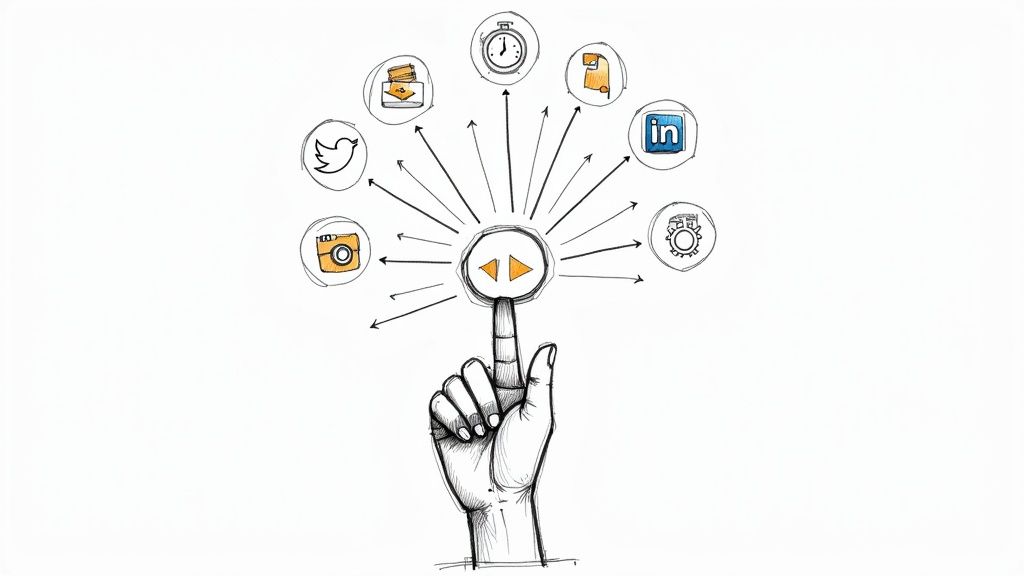
Automating social media boils down to three steps: build a content library, pick a scheduling tool, and set a publishing calendar. Get this right, and you’ll turn social media from a daily chore into a hands-off asset that works for you 24/7.
Why Smart Social Media Automation Is a Game Changer
Stop the manual grind.
Your most precious resources are time and mental energy. Wasting hours every week copying and pasting content across platforms is a massive drain on both. Smart automation isn't just a time-saver; it’s a strategic move to reclaim your focus for tasks that actually grow your business.
Maintain a consistent, professional brand presence without being chained to your keyboard. Post content at 2 AM when your audience is most active, even while you’re asleep. This isn't about being lazy—it's about being effective.
From Constant Effort to Consistent Results
An automated system lets you batch your creative work. Instead of scrambling for a post idea every day, block out one afternoon to create a month's worth of high-quality content. This shift from reactive posting to a proactive strategy is a total game-changer.
The numbers don't lie. Stats show 83% of marketing departments already automate social media posts. The payoff is real: teams see an average engagement lift of 20-30% per post and slash content creation time by around 30%.
The real power of automation is freeing up your mind. When your social media runs smoothly in the background, you can concentrate on product development, customer conversations, and strategic partnerships—the things that truly move the needle.
To see how deep this rabbit hole goes, check out these 9 AI-powered social media engagement strategies.
Manual Posting vs. Automated Workflow: The Showdown
The difference is night and day. One keeps you stuck in a cycle of repetitive tasks; the other empowers you to build a content engine that actually scales.
Look at the daily reality of each approach:
Aspect | Manual Posting | Automated Workflow |
|---|---|---|
Time Investment | Daily, reactive effort (30-60 mins/day) | Weekly, proactive batching (2-4 hours/month) |
Consistency | Inconsistent; prone to missed days | Flawless; posts go live on schedule |
Peak-Time Posting | Limited to your working hours | Optimized 24/7 for global audiences |
Mental Load | High; constant "what to post" anxiety | Low; "set it and forget it" peace of mind |
Scalability | Difficult; adding platforms increases work | Easy; scales across networks effortlessly |
The table makes it clear. One path leads to burnout, the other to sustainable growth.
Ready to make the switch and supercharge this process with AI? Our guide on AI-powered marketing automation is your next step.
Build Your Content Automation Engine
Think of this as your command center. Real automation isn’t about tools; it’s about the repeatable system you build to feed them. Without a solid engine, even the slickest software will sputter and die.
Let's get our hands dirty and build your machine.
The core of this engine is your content calendar. This is the single document that takes you from daily panic to strategic planning. You don't need anything fancy; a simple Google Sheets or Notion page is perfect for mapping out weeks or an entire month of posts in one afternoon.
Master the Art of Batching
Batching is your secret weapon. Instead of forcing creativity on-demand every day, dedicate focused time blocks to one specific task. This approach slashes the time wasted on context-switching, a notorious productivity killer.
Your batching schedule could look like this:
Week 1: Brainstorm all topics and angles for the next month. Ideas only.
Week 2: Write all the copy. Every post, tweet, and description.
Week 3: Create or find all visuals—images, videos, graphics.
Week 4: Load everything into your scheduling tool and walk away.
This systematic approach turns a daily scramble into a predictable process. You'll produce higher-quality content because you’re in the right headspace for each activity. For a deeper dive, check out our guide on how to create a content calendar.
Create Versatile Content Templates
Stop reinventing the wheel with every post. Develop a set of reusable templates based on your content pillars. This keeps your brand voice consistent and dramatically speeds up creation.
Your template library might include frameworks for:
Quick Tip: Short, punchy, actionable advice.
Behind-the-Scenes: A glimpse into your process, workspace, or culture.
Promotional Post: A direct call-to-action for your product. No shame in selling.
User-Generated Content: A reshare of a customer's post or a testimonial.
Industry News: Your unique take on a recent trend.
By creating these templates, you're building a strategic framework. You can quickly see if you're too heavy on promotions or not providing enough value, and then adjust on the fly.
Finally, get your assets organized. Create a dead-simple folder structure in Google Drive or Dropbox for your media. Name files clearly (e.g., 2024-08-15_QuickTip_LinkedIn.png). This meticulous organization is what allows your automation tools to pull the right content seamlessly. It's the boring-but-critical step to creating a true "set it and forget it" machine.
Choose Your Cost-Effective Automation Toolkit
You've built the content engine. Now you need the right vehicle. The tools you pick are a big deal, but you don't need an enterprise-level price tag.
The goal is to find a cost-effective platform that slots into your workflow—not one with a million features you’ll never touch. You wouldn't use a sledgehammer to hang a picture. Find the right tool for the job.
Match the Tool to Your Strategy
Let's get practical. Start with your primary social media platform. Different tools are built for different networks.
Heavy on Instagram & TikTok? Go with Later. Its visual-first calendar and planning grid are lifesavers for aesthetic-driven platforms.
Need Killer Analytics Without the High Cost? Check out Metricool. It punches above its weight, offering competitor tracking and detailed reports. Its "Autolists" feature is a game-changer for recycling evergreen content.
Just Looking for an All-Around Workhorse? Buffer is a fantastic place to start. It's incredibly intuitive, supports a wide range of platforms, and has dead-simple pricing for scheduling across Facebook, LinkedIn, and Instagram.
The best tool isn't the one with the most features; it's the one that just works with your process. Don't pay for complexity you don't need. Start simple and only upgrade when you hit a wall.
Here’s a quick breakdown of top scheduling tools that give you the most bang for your buck. We’re focusing on what really matters: core features, who it’s for, and a price that won’t break the bank.
Top Automation Tools for Bootstrapped Founders
Tool | Best For | Key Feature | Starting Price |
|---|---|---|---|
Later | Instagram & TikTok | Visual planner and link-in-bio tool. | $25/mo |
Metricool | Data-driven founders | Competitor analysis and content recycling. | $22/mo |
Buffer | All-around simplicity | Intuitive interface and straightforward scheduling. | $6/mo per channel |
Publer | Multi-account management | Bulk scheduling and AI-assisted post creation. | $12/mo |
Each of these tools offers a solid free plan. Pick one, try it for a week, and see if it clicks. If not, move on.
The Secret Weapon: Integrators
Scheduling tools are just one piece of the puzzle. The real magic happens when you connect your apps with integrators like Zapier and Make. Think of these as the universal adapters for your tech stack. They're the "glue" letting your different apps talk to each other.
For example, build a workflow that automatically creates a social media post whenever you:
Publish a new blog article.
Add a product to your Shopify store.
Get a new 5-star testimonial.
This completely eliminates those soul-crushing, repetitive tasks that fall through the cracks. You're not just scheduling posts anymore; you’re building a smart, interconnected marketing machine that saves you hours every week. This is how you move beyond basic scheduling and create a system that truly runs on autopilot.
Set Up Your First Automated Workflows
Enough theory—it’s time to get your hands dirty.
Let’s walk through building your first automation, from a simple schedule to a custom workflow connecting your tools. This is where you'll see a real return on your time.
https://www.youtube.com/embed/JSA2oezQWOU
First, master a basic cross-platform schedule. We'll use a tool like Buffer, but the concept applies to Later, Metricool, or any other scheduler. The goal is simple: get one piece of content to post across multiple platforms without you lifting a finger at go-time.
Connect your LinkedIn, Facebook, and Instagram accounts. Upload your image and caption, select all three channels, and hit schedule. Buffer handles the rest. This is the foundational skill for social media automation.
Pick your primary tool based on what you need now. Is it simple scheduling? Visual planning? Or are you ready for complex connections?
Level Up with Custom Zapier Workflows
Basic scheduling is a great start, but custom workflows unlock game-changing efficiency. This is where integrator tools like Zapier or Make shine.
Let's build a classic founder workflow: automatically share new blog posts to social media.
This recipe eliminates the task of manually creating promotional posts every time you hit "publish." Once set up, it’s a true set-it-and-forget-it system that drives traffic to your site on autopilot. For a deeper look, explore these powerful marketing automation workflows.
Here’s how to build this in Zapier, step-by-step:
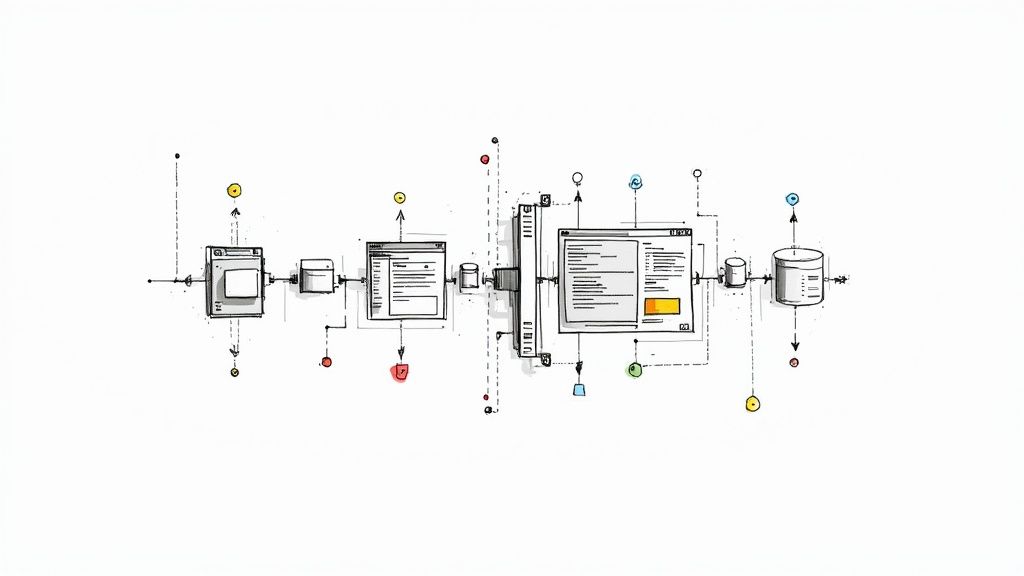
Set Your Trigger: Choose the RSS by Zapier app and select the "New Item in Feed" trigger. Paste your blog’s RSS feed URL (usually yourdomain.com/feed).
Add Your First Action: Tell Zapier what to do. Select Twitter and the "Create Tweet" action. Map the "Title" and "Link" fields from your RSS feed to construct the tweet automatically. Done.
Customize for Each Platform: Now it gets cool. Add another action step for LinkedIn ("Create Share Update"). Reuse the same title and link, but add a different intro to match LinkedIn's professional vibe.
Test and Activate: Zapier will run a test with a recent blog post. If it looks good, turn on your Zap. From now on, every new blog post gets shared instantly.
This simple two-step workflow is a perfect start. You're not just scheduling content; you're creating a dynamic system that reacts to your other business activities, ensuring your best content gets immediate promotion.
For more granular control on a platform like X (Twitter), it’s worth mastering the specifics. Dive deeper with this ultimate guide on how to schedule Twitter posts.
Avoid Common Automation Pitfalls
Automating social media is a huge growth lever, but it comes with a warning label. The biggest mistake is treating it as a "set it and forget it" machine.
Success comes from balancing robotic efficiency and genuine human connection. Get this right, and you avoid the cringe-worthy errors that make a brand look lazy, out of touch, or worse, like a bot. This isn't just about scheduling; it’s about letting your brand’s personality shine through, even when a machine is doing the heavy lifting.
The Danger of Over-Automation
The first trap is automating way too much. This happens when you let the machine completely take the wheel.
Think of generic, automated comments like "Great post!" or sending an instant, canned sales pitch to every new follower. It’s the fastest way to kill your engagement and get flagged as spam.
Automation should handle the publishing, not the personality. Your job is to show up, engage with comments, and join relevant conversations. That human touch is your ultimate competitive advantage.
Another massive red flag is automating direct messages. Unless it's a simple welcome message with zero sales intent, just don't do it. An unsolicited, robotic DM is the digital equivalent of a cold call interrupting dinner—it’s annoying and rarely works.
Keep Your Content Queue Relevant
Your scheduled content queue is not a time capsule. A great post today could be horribly tone-deaf next week due to an unforeseen world event.
A regular audit of your queue is non-negotiable.
Here’s a simple routine to stay on top of it:
Weekly Check-In: Block 15 minutes every Monday to review the upcoming week's posts. Is everything still relevant? Is the tone right?
Know the "Pause" Button: Know how to quickly pause all scheduled content in your tool. When major news breaks, your first move should be to stop automation to avoid posting something insensitive.
Leave Room for Spontaneity: Don't pack your schedule to the brim. Leave gaps for real-time posts. Did a customer share an amazing photo? Did something hilarious happen with your team? Share it. These unscripted moments make your brand relatable.
Ultimately, your strategy must be a hybrid. Use tools to handle the repetitive task of consistent posting. But always reserve your most valuable asset—your authentic voice and ability to connect—for real, live human interaction. That’s the balance that lets you scale without losing your soul.
Answering Your Top Automation Questions
Jumping into social media automation brings up questions. Let's tackle the most common ones so you can build your system with confidence.
A common hurdle is handling different platforms. What works on LinkedIn flops on Instagram. The trick isn’t to blast the same generic post everywhere. Use your scheduling tool’s built-in customization.
When you drop a post into a tool like Buffer or Metricool, you can tweak it for each network in one go. Write a short version for X (Twitter), add professional context for LinkedIn, and use a great visual for Instagram—all from the same screen. This is how you maintain a native feel without sacrificing efficiency.
How Do You Measure ROI on Automation?
You have to know if this is worth it. Measuring the return on your automation is non-negotiable. Look at two things: time saved and performance gained.
Time Saved: How many hours a month did you used to spend manually posting? Multiply that by your hourly rate. That’s your direct financial saving.
Performance Gained: Dive into your tool's analytics. Are you seeing more website clicks? Are engagement rates higher now that you’re posting at the right times? Is your follower count growing consistently?
The goal isn't just to be efficient; it's to be effective. If your automated posts drive more qualified traffic to your landing pages than your old manual approach, that’s a clear win for your bottom line.
How Much Is Too Much to Automate?
Finding the sweet spot between automation and human connection is an art.
Here’s a solid rule of thumb: automate content publication, but never automate personal interaction.
Schedule your planned content—your tips, articles, and announcements. But leave room in your calendar for spontaneous, real-time posts. More importantly, every reply, comment, and DM needs a human touch. Your audience can spot a canned response from a mile away.
Think of it this way: automation should free you up to have more human conversations, not fewer. Your scheduled content is the conversation starter; your real-time engagement is where you build relationships.
Ready to build your own growth engine? At Viral Marketing Lab, we provide bootstrapped founders with the exact templates, tools, and playbooks you need to scale your marketing without the enterprise budget. Explore our resources at https://viralmarketinglab.com.