10 Landing Page Design Best Practices That Actually Convert in 2025
Your landing page is your digital closer. It’s the handshake, the demo, and the final pitch—all in one. For lean startups, it’s not just a webpage; it’s a revenue machine. Yet, countless pages bleed customers due to sloppy, preventable design flaws. The difference between a page that trickles in a few sign-ups and one that fuels growth isn't magic—it's methodology. It’s about making sharp, strategic choices that drive visitors to one specific action.
This article cuts the fluff. Forget abstract theories or fleeting design trends. This is a prioritized, actionable list of the 10 most critical landing page design best practices. These are the non-negotiable fundamentals that separate high-converting pages from digital ghost towns. We'll cover everything from nailing your value prop and focusing your CTA to leveraging social proof and optimizing for lightning speed.
Every point here is built for immediate action. You'll get practical examples, quick checklists, and insights forged for founders who need to move fast and get results. The mission is simple: to arm you with a clear framework for turning your landing page into a reliable, efficient conversion engine. Let's stop guessing and start building pages that systematically turn visitors into customers.
1. Nail Your Value Proposition
Your value proposition is the most important element on your page. Full stop. It’s a short, powerful statement that tells visitors exactly what you do, who it's for, and why you're the only choice. This isn't just a tagline; it's the core promise you deliver. It must answer the visitor's #1 question—"What's in it for me?"—in under five seconds. A killer value prop hooks visitors, clarifies your offer, and gives them a damn good reason to stick around.
For bootstrapped startups, this is non-negotiable. It frames the entire experience. Without a clear "why," even the best product will fail to connect. It's your elevator pitch, headline, and core benefit in one. Slack’s "Where work happens" nails collaboration and productivity. Airbnb’s "Belong Anywhere" hits an emotional nerve for connection and travel. That’s the level you need to hit.
How to Implement a Clear Value Proposition
Crafting a potent value prop is a cornerstone of landing page design best practices. It's not about what you do; it's about the outcome you create.
Sell Benefits, Not Features: Nobody cares about your "AI-powered synergistic algorithm." They care that your tool "Saves you 10 hours a week on social media." Translate every feature into a real-world win for the user.
Structure for Impact: A proven structure uses a headline, sub-headline, and bullets.
Headline: The big promise. What’s the #1 result a customer gets? (e.g., "Build a website in minutes.")
Sub-headline: A 2-3 sentence explanation. How do you deliver? (e.g., "Our drag-and-drop editor requires zero code. Launch with over 100 professionally designed templates.")
Bullet Points: List 3-5 key benefits. (e.g., Blazing-fast hosting, Built-in SEO tools, 24/7 support).
Use Their Language: Ditch the jargon. Use the exact words your customers use to describe their pains and goals.
For a deeper dive, check out these strategies on how to write a compelling value proposition and apply them to your startup.
2. Have a Single, Focused Call-to-Action (CTA)
Once you've grabbed their attention, tell them exactly what to do next. A landing page with one primary call-to-action (CTA) obliterates confusion and decision paralysis. It channels all user momentum toward your one conversion goal. Offering multiple options like "Sign Up," "Learn More," and "Book a Demo" is a rookie mistake that kills conversion rates. Make the next step obvious and irresistible.
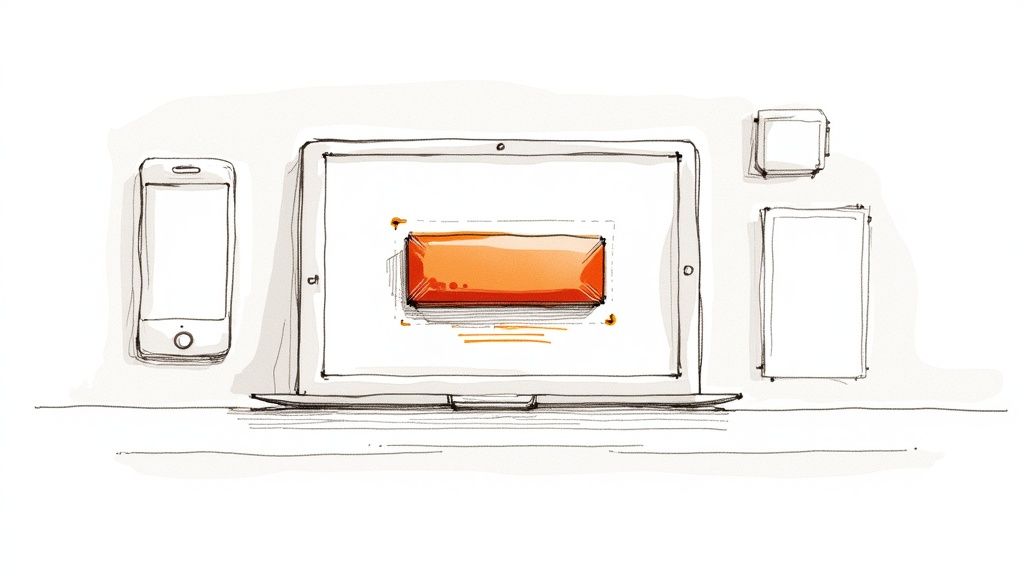
For bootstrapped startups, this singular focus is a growth hack. Every single element on the page—headline, copy, images—must lead to this one CTA. This creates a persuasive narrative that moves users from interest to action without any detours. Calendly’s homepage is a masterclass in this, funneling everyone toward scheduling. Grammarly's page pushes relentlessly toward one download button. The path to conversion must be frictionless.
How to Implement a Single CTA Focus
A focused CTA is a fundamental of landing page design best practices that directly boosts your bottom line. Create a clear path and users will follow it.
Make it Pop: Your CTA button must be impossible to miss. Use a color that contrasts sharply with the background—think orange on a white page. Make it big enough to be noticed instantly but not so big it’s obnoxious.
Write Action-Oriented Copy: Ditch boring words like "Submit." Use powerful, value-driven commands. "Get Your Free Trial," "Claim My Discount," or "Start Building Now" are infinitely better.
Place it Strategically: Put your main CTA "above the fold" so it's visible without scrolling. On longer pages, repeat the CTA after key sections, like features or testimonials, to capture users when their intent is highest.
Design for Thumbs: Your CTA must be easy to tap on mobile. Aim for a minimum size of 44x44 pixels. This isn't just a guideline; it's a way to prevent user rage-quits from frustrating mis-taps.
To master the art of the ask, explore these landing page call to action strategies.
3. Be Mobile-Responsive and Fast as Hell
Mobile responsiveness and speed aren't features anymore; they're the price of entry. With over 60% of web traffic coming from mobile, a page that's slow or broken on a phone is a page that's dead on arrival. Your design must be fluid and adaptive, providing a perfect experience on any device. A slow, clunky mobile site is a one-way ticket to a 90% bounce rate. Users expect instant access—give it to them.
For a bootstrapped startup, optimizing for mobile and speed is one of the highest-ROI moves you can make. It impacts your Google rank, ad performance, and conversions. A one-second delay in page load can crater your conversion rate. Companies like Stripe and Notion get this, offering lightning-fast, pixel-perfect mobile experiences that build trust from the first tap. Nailing this is a core tenet of landing page design best practices.
How to Implement Mobile Responsiveness and Speed
A fast, functional page on every device is non-negotiable. Your job is to destroy every barrier between the user and your CTA.
Design Mobile-First: Don't design for desktop and then shrink it. Start with the mobile experience. This forces you to focus on what's essential, resulting in a cleaner, faster design that scales up beautifully.
Optimize Your Assets Ruthlessly: Big files are the #1 enemy of speed.
Compress Images: Use tools like TinyPNG or Squoosh to shrink image files by 70-80% without noticeable quality loss.
Lazy Load: Make images and videos below the fold load only as the user scrolls to them. This dramatically speeds up the initial page render.
Use a CDN: A Content Delivery Network (CDN) like Cloudflare serves your site from servers worldwide, delivering assets from the closest location to the user. It's a game-changer for speed.
Test and Measure Obsessively: Don't guess. Use data.
Use Performance Tools: Run your URL through Google PageSpeed Insights and GTmetrix regularly. Aim for a Lighthouse score of 90 or higher.
Test on Real Devices: Emulators are fine, but nothing beats testing on actual iPhones and Androids to find real-world glitches.
For a complete guide, check out this breakdown of how to improve your PageSpeed Insights score.
4. Use Minimal Form Fields
Every form field is another obstacle between you and a conversion. Minimal form fields is a core landing page design best practice about one thing: reducing friction. Ask for only what you absolutely need. The goal is to make submitting the form feel effortless. Research proves it: every extra field kills your conversion rate. Lower the barrier, and more people will jump over it.
This is a lifeline for bootstrapped startups that can't afford to waste leads. Asking for a full name, company size, phone number, and job title for a newsletter signup is insane. Just get the email address. You can collect more data later, once you've started building a relationship. Respect the user's time and they'll be far more likely to convert.
How to Implement Minimal Form Fields
Optimizing your forms is a high-impact, low-effort win. The less you ask for, the more you get. Challenge every field: "Do I need this right now?"
Be Ruthless: What's the one piece of information you need to move a lead forward? For a newsletter, it's the email. For a trial, it's email and a password. Everything else can wait.
Use Progressive Profiling: Don't ask for their life story upfront. Get the basics, then gather more info over time. Ask for their name on the "thank you" page or in a welcome email.
Optimize for Mobile: On a small screen, every field feels like a chore. Use smart defaults (like auto-selecting the country) and ensure the correct keyboard pops up for each field (number pad for phone, email keyboard for email).
Clearly Mark Optional Fields: If you absolutely must include non-required fields, label them as "(Optional)." This signals that users can safely skip them, reducing the perceived effort.
To see this in action, check out the Typeform blog. They are masters of the minimal, conversational form.
5. Leverage Social Proof and Trust Signals
Social proof is simple: people follow the crowd. On a landing page, it's the proof that others trust and value your product. It crushes purchase anxiety and builds instant credibility. Trust signals like testimonials, company logos, and reviews are powerful endorsements that answer the visitor's subconscious question: "If it worked for them, will it work for me?"
For bootstrapped startups with zero brand recognition, social proof isn't a "nice-to-have"—it's a survival tool. It levels the playing field by letting you borrow credibility from your customers. When a visitor sees logos of companies they know or glowing reviews on a site like Airbnb, it validates the offer instantly. This is one of the most essential landing page design best practices for overcoming the skepticism every new visitor brings.
How to Implement Social Proof and Trust Signals
Strategically placed social proof is the final nudge that turns a "maybe" into a "yes." Show, don't just tell.
Be Specific and Authentic: "Great product!" is useless. "This tool cut our reporting time by 50% in the first month" is a conversion driver. Always use real names, photos, and company details (with permission) to prove it's real.
Use a Mix of Proof Points: Don't just use one type of proof. Weave a compelling story with a combination of elements:
Customer Testimonials: Feature quotes that obliterate common objections.
Company Logos: Display logos of well-known clients to borrow their authority.
Usage Stats: Use hard numbers like "Join 50,000+ happy customers" to create a sense of momentum.
Security Badges: Place SSL certificates or payment logos (Stripe, PayPal) near your forms to reassure users their data is safe.
Place Trust Signals at Key Moments: Put your strongest social proof right next to your CTA. Display security badges directly under your payment form. This alleviates friction at the exact moment of decision.
The psychology behind this is rock-solid. Read up on Robert Cialdini's principles of persuasion to understand why this works so well.
6. Use a Strategic Visual Hierarchy
A strategic visual hierarchy is the invisible hand that guides your visitor’s eyes through the page. It’s the art of using size, color, contrast, and spacing to create a natural flow. This isn't just about aesthetics; it’s a critical part of landing page design best practices that forces users to see the most important stuff first. A strong hierarchy kills confusion and cognitive friction, making it effortless for visitors to get your message and take action.
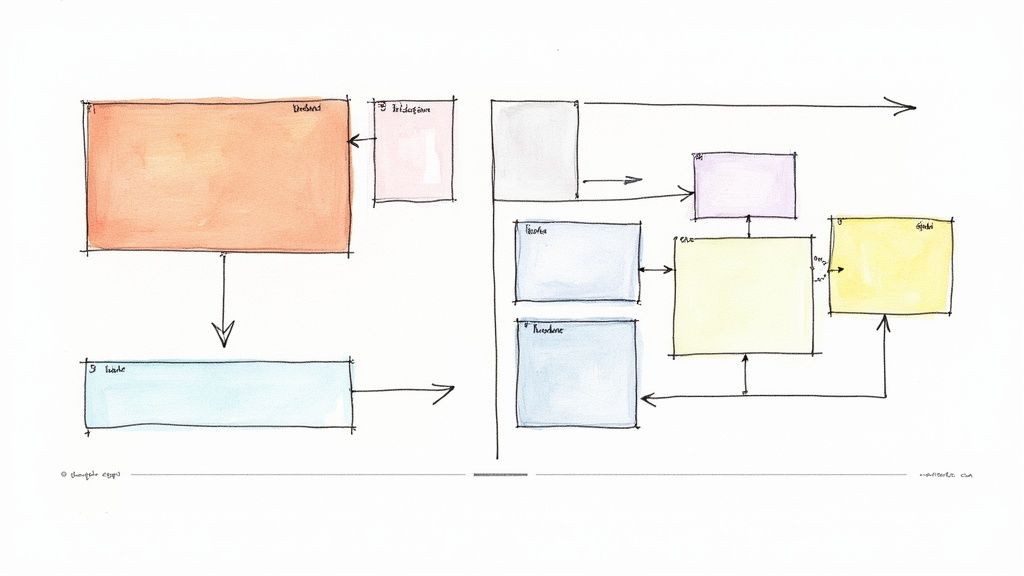
This is a godsend for bootstrapped startups. It maximizes your message's impact without a big budget. By simply arranging elements with purpose, you control the user’s journey. Apple’s product pages are a masterclass: a huge hero image and headline establish immediate focus, while smaller text provides supporting details. This deliberate structure ensures the core message lands instantly, before the user has a chance to get bored and bounce.
How to Implement a Strategic Visual Hierarchy
Building a visual hierarchy is about creating intentional contrast to guide the user's eye. It’s a foundational skill for converting visitors.
Follow the F-Pattern: Users scan pages in an "F" shape. Put your headline and key benefits along the top and left side to match this natural behavior.
Create a Clear Typographic Scale: Use size and weight to distinguish between headings, subheadings, and body text. Stick to a maximum of three headline levels (H1, H2, H3) and two fonts to keep it clean.
Use Color and Contrast as a Weapon: Use a simple 60-30-10 color rule (60% primary, 30% secondary, 10% accent). Reserve your accent color exclusively for your CTA buttons to make them pop.
Embrace Whitespace: Negative space isn't empty space; it’s a powerful tool. Use it generously to reduce clutter, improve readability, and draw attention to your most important content and CTAs.
To see these principles in action, check out high-converting landing page templates and borrow their visual flow for your own designs.
7. Use Compelling Imagery and Video
Visuals aren't just decoration; they're high-speed communication tools. Compelling images and videos convey emotion, demonstrate value, and build trust faster than text ever could. The brain processes images 60,000 times faster than text, making visuals your secret weapon for grabbing attention and explaining complex ideas in a flash. A high-quality product photo or explainer video can be the difference between a bounce and a conversion.
This is non-negotiable for bootstrapped startups. Great visuals create an instant feeling of professionalism and help users imagine themselves succeeding with your product. Dropbox and Wistia famously used simple explainer videos to drive insane growth. A well-executed visual can be your best salesperson, and powerful visual storytelling is a cornerstone of modern landing page design best practices.
How to Implement Compelling Imagery and Video
Using visuals effectively is a balancing act between aesthetics, performance, and clear messaging.
Choose Authenticity Over Stock: Ditch the cheesy, generic stock photos. Use high-quality, authentic images of your product, team, or real customers. Photos of your solution in action build far more trust.
Use Explainer Videos: A short (60-90 second) explainer video can skyrocket conversions. Put it front and center, above the fold. It should quickly outline the problem, show your solution, and end with a clear CTA.
Optimize for Speed: Huge media files will kill your page speed.
Compress Images: Use tools like TinyPNG or Squoosh to slash file sizes without wrecking quality.
Use Modern Formats: Implement next-gen formats like WebP for better compression.
Embed Videos: Host videos on YouTube or Wistia, not on your own server. Set them to autoplay on mute to grab attention without being annoying.
For a technical deep-dive, check out these best practices for optimizing images for the web.
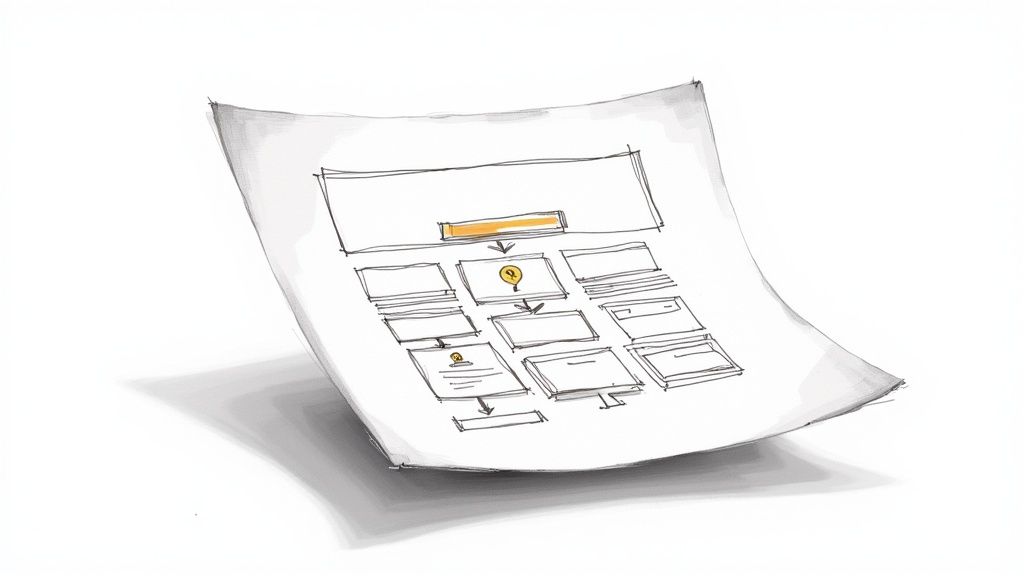
8. Engineer a Clear User Flow
A clear user flow is an intuitive path that guides visitors from their entry point straight to your conversion goal. It’s about creating a frictionless journey by removing distractions and making the next step painfully obvious. A great flow anticipates user questions and answers them in order, keeping them laser-focused on the prize. A confusing path leads to bounces and lost revenue, making this one of the most vital landing page design best practices.
This is critical for bootstrapped startups. A seamless user experience builds instant trust and professionalism. When every visitor counts, you can't afford to lose them to a confusing layout. A logical flow, like Calendly’s step-by-step booking or Typeform's one-question-at-a-time forms, reduces cognitive load and makes the user feel in control, dramatically increasing the odds they'll finish what they started.
How to Implement a Clear User Flow
Optimizing the user journey is about making the path you want them to take the easiest path possible.
Create a Logical Content Hierarchy: Structure your page from top to bottom in a way that mirrors a conversation. Start with the big promise, follow with benefits and social proof, and close with a clear CTA. Use H2 and H3 headings to break up sections.
Kill Distracting Navigation Links: A landing page has one job. Remove your main site navigation bar or gut it, leaving only essential links. This prevents visitors from wandering off and abandoning the funnel.
Use Visual Cues and Progress Bars: For multi-step forms, use progress bars to show users where they are and how much is left. This manages expectations and slashes abandonment rates. ConvertKit does this brilliantly.
Maintain Button Consistency: Use the same style, color, and placement for your primary CTA buttons. This trains the user to recognize the next step, making the journey feel effortless and intuitive.
Use tools like Hotjar to watch session recordings and see exactly where your users are getting stuck. Then, fix it.
9. Make Your Copy Scannable
Newsflash: people don't read landing pages. They scan them. Your job is to make sure your core message gets through in seconds. This means using short, punchy, benefit-driven language and visual cues like short paragraphs, bolding, and bullet points. It’s about delivering maximum impact with minimum text. Make it easy for users to "get" your value prop without having to work for it.
This is vital for bootstrapped startups because you have about three seconds to capture interest. If a visitor has to squint and struggle to figure out what you do, they're gone. Clear, scannable copy respects their time and gets straight to the point. Grammarly’s “Great writing, simplified” is a perfect example. It's direct, confident, and instantly understandable.
How to Implement Scannability and Copywriting
Scannable copy is a fundamental part of landing page design best practices that dramatically improves comprehension. It’s not just what you say; it’s how you say it.
Clarity Beats Cleverness. Always. Your #1 goal is to be understood. Use an active voice and write for the user. Replace "we/our" with "you/your." Instead of "Our software has many features," say "You get all the tools you need."
Structure for Skimmers: Design for the "F-pattern" scan.
Short Paragraphs: Two to three sentences, max. Break up big ideas into bite-sized chunks.
Bullet Points: Use bullets or numbered lists to break down features and benefits. They are ridiculously easy to scan.
Bold Key Phrases: Make your most important words and benefits bold. This guides the reader’s eye and reinforces your message.
Use Powerful, Specific Language: Vague words are weak. Be specific. Use "power words" that trigger emotion and action. Don't say your tool is "fast"—say it "Cuts your reporting time in half." Don't say "many users"—say "Trusted by over 10,000 startups."
For a masterclass in conversion copywriting, follow Joanna Wiebe at Copyhackers.
10. A/B Test Everything
Guesswork is the enemy of conversions. A/B testing is the disciplined process of comparing two versions of a page (A vs. B) to see which one performs better. By showing each version to a similar audience and measuring the results, you replace gut feelings with hard data. This is how you systematically improve your conversion rates over time.
This is non-negotiable because even tiny changes—a different CTA color, a rephrased headline—can lead to massive conversion lifts. The most successful landing pages aren't created in a single flash of genius; they are evolved through constant, data-driven iteration. Committing to testing is committing to understanding what actually makes your audience click.
How to Implement A/B Testing and Data-Driven Optimization
A/B testing is one of the most powerful landing page design best practices you can adopt. It’s about creating a cycle of continuous improvement.
Start with a Clear Hypothesis: Before you test, state your prediction. Example: "Changing the CTA from 'Sign Up' to 'Get Your Free Demo' will boost conversions by 15% because it highlights immediate value."
Test One Thing at a Time: To get clean data, isolate one variable per test. If you change the headline, image, and CTA all at once, you'll learn nothing. Start with high-impact elements: your headline, CTA, or hero image.
Wait for Statistical Significance: Don’t call a test early. Use a significance calculator and aim for at least 95% confidence before declaring a winner. This ensures your results aren't just random luck. Run tests for a full business cycle (1-2 weeks).
Document Everything: Keep a log of every test: your hypothesis, the variations, the results, and what you learned. This log becomes your company's secret weapon for future optimization.
For a complete framework, check out these strategies for how to optimize landing pages and start making data-backed moves.
10-Point Landing Page Best Practices Comparison
Item | 🔄 Implementation Complexity | ⚡ Resource Requirements | ⭐📊 Expected Outcomes | 💡 Ideal Use Cases | Key Advantages |
|---|---|---|---|---|---|
Clear Value Proposition | Moderate — needs research & iterative testing | Low–Medium — copywriter + user research & A/B tests | High — improves conversions and reduces bounce quickly | New landing pages, hero areas, first-touch experiences | Immediate clarity, differentiation, trust building |
Single Call-to-Action (CTA) Focus | Low — design + alignment of goal | Low — design, copy, placement tweaks | Medium–High — can lift conversions ~30–50% | Simple offers, signups, single-goal pages | Reduces decision friction; easier tracking & testing |
Mobile Responsiveness and Speed | High — dev work, optimization, cross-device QA | High — dev time, CDNs, image/video optimization, testing tools | High — better rankings, lower mobile bounce; speed impacts conversions (≈7% per 1s) | Any site with significant mobile traffic, e‑commerce, SaaS | Improved UX, SEO boost, accessibility |
Minimal Form Fields | Low–Medium — form redesign; CRM integration for profiling | Low — UX changes, possible CRM work | High — higher completion rates (50%+); each extra field reduces submissions ~4–7% | Lead capture, signups, checkout initial steps | Reduced friction, higher data quality, mobile friendly |
Social Proof and Trust Signals | Low–Medium — gather, verify, and display evidence | Low–Medium — testimonials, reviews, legal permissions | High — increases trust; conversions +20–50% typical | High‑risk purchases, new brands, onboarding flows | Lowers perceived risk; builds authority and FOMO |
Strategic Visual Hierarchy and Layout | High — requires strong design skill and testing | Medium — designer time, prototyping, user testing | Medium–High — improves comprehension, time on page, scannability | Feature-heavy pages, complex messaging, product pages | Guides attention, reduces cognitive load, improves retention |
Compelling Imagery and Video | Medium–High — production and integration complexity | High — photography/video production, editing, optimization | High — increases engagement and conversions (video can +80%) | Product demos, storytelling, hero sections, ads | Emotional connection, faster comprehension, shareability |
Clear Navigation and User Flow | Medium — UX planning and iterative refinement | Medium — UX design, analytics & testing tools | Medium–High — reduces abandonment, improves completion rates | Multi-step processes, complex offers, onboarding | Reduces friction, improves accessibility and task completion |
Scannability and Copywriting | Medium — requires skilled writers and tests | Low–Medium — copywriter, editors, UX review | High — increases comprehension, retention, and conversions | Content-rich pages, CTAs, hero text, feature lists | Faster decision making, better SEO, clearer value delivery |
A/B Testing and Data-Driven Optimization | High — statistical rigour, test management | Medium–High — tools, traffic, analyst time | High (compounding) — data-backed gains over time; scalable improvements | Pages with sufficient traffic and conversion focus | Removes guesswork, validates changes, drives continuous improvement |
From Best Practices to Best Performance
You now have the playbook for landing page design best practices. From a magnetic value prop to relentless A/B testing, we've covered the essentials: a single CTA, minimal forms, powerful social proof, and blistering mobile speed. These aren't just theories; they are the mechanics of conversion.
The real lesson isn't a checklist. It's a mindset shift. A great landing page is never "done." It's a dynamic asset, a living experiment. For a bootstrapped startup, this iterative process is your superpower. While funded competitors burn cash on traffic, you can build a hyper-efficient conversion machine that squeezes maximum value from every single visitor.
Turn Knowledge into Action
Feeling overwhelmed? Don't be. Progress doesn't require a total teardown. The path to greatness is paved with small, smart steps.
Grab the Low-Hanging Fruit: Is your page slow? Compress your images. It’s a quick win. Is your form asking for a phone number? Kill it.
Form a Hypothesis: Don't just change your button color to orange because you read a blog post. Hypothesize: "Changing my button to high-contrast orange will increase clicks by drawing more attention." Then test it.
Test One Variable at a Time: The golden rule of A/B testing is isolation. Change one thing—the headline, the image, or the CTA—and measure the result. Be patient. Be methodical.
Mastering these landing page design best practices is a journey. User expectations evolve, so stay sharp. For a look at what's next, check out this guide on the 10 Best Practices for Landing Pages in 2025.
Your Unfair Advantage
Your landing page is your best salesperson. It works 24/7 to turn curiosity into commitment. By implementing these data-driven principles, you move from hoping for conversions to engineering them.
Every test you run, win or lose, teaches you something valuable about your audience. This continuous feedback loop is what separates thriving startups from the ones that fizzle out. Embrace the process, trust the data, and build a powerful asset that fuels your growth.
Ready to skip the trial-and-error and launch a high-performance landing page from day one? The Viral Marketing Lab offers a suite of battle-tested templates and cheat sheets with these best practices already baked in. Stop guessing and start converting with a framework built for bootstrapped success.